Buy casa-antigo.eu ?
We are moving the project
casa-antigo.eu .
Are you interested in purchasing the domain
casa-antigo.eu ?
domain@kv-gmbh.de · 0541-91531010
Buy casa-antigo.eu ?
Is McKenzie qualitative?
Yes, McKenzie is qualitative. McKenzie is a qualitative research method that involves using open-ended questions and in-depth interviews to gather rich, detailed information about a particular topic or issue. This approach allows for a deep exploration of people's experiences, perspectives, and emotions, providing a nuanced understanding of the subject being studied. **
Can someone help me with Excel 2019?
Yes, there are many resources available to help you with Excel 2019. You can find tutorials and guides online, as well as video tutorials on platforms like YouTube. Additionally, there are many forums and communities where you can ask questions and get help from experienced Excel users. If you prefer more personalized assistance, you can also consider hiring a tutor or taking a course to improve your Excel skills. **


Similar search terms for Josh-McKenzie-Excel-2019
Top-Angebote
Products related to Josh-McKenzie-Excel-2019:
-
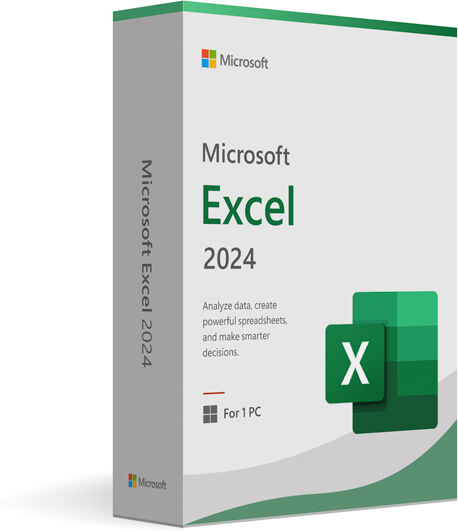
Microsoft Excel 2024 for WindowsMicrosoft Excel 2024 for Windows is the latest iteration of the renowned spreadsheet software trusted by millions across the UK for personal, educational, and professional use. Designed specifically for Windows operating systems, this version maintains the familiar interface while incorporating enhanced features that streamline your workflow and boost productivity. Whether you are managing complex financial models, analysing data trends, or simply organising your daily tasks, Excel 2024 offers a versatile environment tailored to meet diverse needs. It supports a comprehensive range of functions and formulas, allowing you to perform calculations with precision and ease. The improved calculation engine ensures faster processing, even when dealing with large datasets, helping you save valuable time. One of the standout enhancements in Excel 2024 is the upgraded data visualisation tools. New chart types and intuitive formatting options enable you to present your information clearly and professionally. Creating dashboards or reports to share insights with colleagues or clients is now more straightforward, with visually appealing templates and customisation capabilities. Collaboration is also at the heart of this version. Excel 2024 integrates seamlessly with Microsoft's cloud services, making it easier than ever to work alongside your team in real time. You can share your workbooks securely, track changes, and combine inputs without confusion or data loss, all within the familiar Excel environment. The software also includes smart features powered by artificial intelligence, such as predictive suggestions and error checking, which aid in reducing mistakes and improving accuracy. Additionally, the enhanced accessibility tools ensure that Excel remains usable for people of all abilities, supporting keyboard navigation and screen readers. Installation and activation are straightforward, allowing you to get started quickly on your Windows PC. With Microsoft Excel 2024, you gain access to a robust, industry-standard spreadsheet program that continues to set the benchmark for data organisation and analysis in the UK market. For professionals in finance, accounting, marketing, education, and beyond, Excel 2024 remains an indispensable tool. Its compatibility with previous Excel files ensures you can easily open, edit, and save workbooks without compatibility issues. Moreover, integration with other Microsoft Office applications allows for efficient workflows when creating complex documents or presentations. In summary, Microsoft Excel 2024 for Windows combines familiar ease of use with modern enhancements designed to optimise your productivity. Its powerful features, collaborative tools, and improved data visualisation capabilities make it a valuable addition for anyone requiring reliable spreadsheet software in the UK. Whether for home use or enterprise environments, Excel 2024 provides a dependable platform for all your data management needs.99,99 £*Shipping: 0,00 £Secure redirect to the provider
-
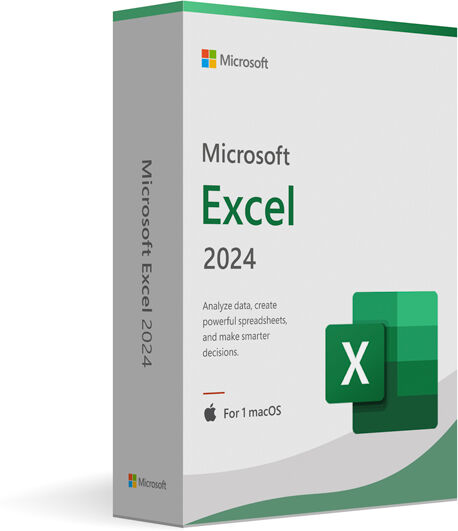
Microsoft Excel 2024 for macOSMicrosoft Excel 2024 for macOS offers a powerful and versatile spreadsheet solution tailored specifically for Mac users. With its updated features and seamless integration into the Apple ecosystem, this version of Excel is designed to enhance productivity whether you're managing complex data, performing financial analysis, or organising your day-to-day information. Built to leverage the capabilities of macOS, Excel 2024 delivers a smooth and intuitive experience. The interface is optimised for Mac's Retina displays, ensuring crisp visuals and easy navigation. Users will appreciate the familiar ribbon menu, refined for macOS conventions, enabling quick access to a wide array of data tools, formulas, and formatting options. This edition of Excel supports extensive data manipulation, including advanced charting features that help visualise trends and insights clearly. Whether you're creating pivot tables, employing functions for statistical analysis, or automating tasks with macros, Excel 2024 offers robust tools to help streamline your workflow. Collaboration is simplified with improved sharing options. Workbooks can be shared securely with colleagues and collaborators, with real-time co-authoring capabilities that keep everyone on the same page. Changes are tracked efficiently, and version history allows you to revisit previous iterations of your work. Integration with other Microsoft 365 applications is seamless, making it easier to combine data from Word documents or PowerPoint presentations. Excel 2024 also supports compatibility with a wide range of file formats, ensuring you can open and save your spreadsheets without hassle. Security features are enhanced to protect your sensitive data. Password protection, data encryption, and compliance with Microsoft’s trusted security standards mean your information stays secure whether stored locally or in the cloud. For Mac users who require a comprehensive spreadsheet program, Microsoft Excel 2024 stands out as a reliable and feature-rich choice. Its combination of powerful functions, polished design, and strong integration with both macOS and Microsoft 365 services makes it suitable for students, professionals, and businesses alike. Experience the efficiency and flexibility of Microsoft Excel 2024 for macOS to manage your data with confidence and precision. Whether handling budgets, datasets, or project plans, this edition equips you with the tools needed for success on your Mac.249,99 £*Shipping: 0,00 £Secure redirect to the provider
-
"""Josh Cellars""" """Josh Cellars Lodi Reserve Cabernet Sauvignon 2020 Red Wine - California""""""The Lodi region of California has a Mediterranean climate that provides excellent growing conditions for Cabernet Sauvignon. This wine bursts with notes of plum, blueberry and cocoa - a perfect companion for your summer grilling."""20,97 $*Shipping: 0,00 $Secure redirect to the provider
-
"""Josh Cellars""" """Josh Cellars North Coast Reserve Cabernet Sauvignon 2023 Red Wine - California""""""The Pacific Ocean fog and mild coastal air balance out the sunny hot days and bring cool evenings in California’s North Coast, creating ideal conditions for growing Cabernet Sauvignon. Grapes for this wine are sourced from areas throughout the..."20,97 $*Shipping: 0,00 $Secure redirect to the provider


-
Can you create a tally sheet in Excel 2019 or possibly Word 2019?
Yes, you can create a tally sheet in both Excel 2019 and Word 2019. In Excel, you can use the cells to input the data and then use formulas to calculate the tally. In Word, you can use tables to create a tally sheet and manually input the data. Both programs offer the flexibility to customize the tally sheet to fit your specific needs. **
-
How can cells be merged in Excel 2019?
To merge cells in Excel 2019, you can select the cells you want to merge. Then, go to the "Home" tab on the Excel ribbon and find the "Merge & Center" option in the "Alignment" group. Click on the drop-down arrow next to it and choose how you want to merge the cells - whether it's merging and centering, merging across, or merging cells without centering. This will combine the selected cells into one larger cell. **
-
Is the table in Excel 2019 upside down?
No, the table in Excel 2019 is not upside down by default. The orientation of the table can be adjusted using the "Rotate" feature in Excel, but by default, the table is displayed right-side up. If the table appears upside down, it may be due to a specific setting or user action, and it can be easily corrected by adjusting the table orientation. **
-
Why was Drake & Josh canceled?
Drake & Josh was canceled due to a combination of factors, including the show's declining ratings and the actors' desire to move on to other projects. Additionally, there were reported conflicts between the show's stars, Drake Bell and Josh Peck, which may have contributed to the decision to end the series. Ultimately, the show's creators and network likely felt that it was time to conclude the series and pursue other opportunities. **


How can I perform a monthly analysis in Excel 2019?
To perform a monthly analysis in Excel 2019, you can start by organizing your data into a table with columns for the different variables you want to analyze. Then, you can use Excel's built-in functions and tools such as PivotTables, charts, and filters to analyze the data for each month. You can also use formulas to calculate monthly totals, averages, or other metrics. Additionally, you can use conditional formatting to highlight trends or outliers in your data. Finally, you can create a summary report or dashboard to present your monthly analysis in a clear and visually appealing way. **
How do you enter a function equation in Excel 2019?
To enter a function equation in Excel 2019, you can start by selecting the cell where you want the result to appear. Then, type an equals sign (=) to indicate that you are entering a formula. Next, type the name of the function you want to use, followed by an open parenthesis. Then, enter the arguments for the function inside the parentheses, separating multiple arguments with commas. Finally, close the parentheses and press Enter to complete the formula. For example, to calculate the average of a range of numbers, you can enter =AVERAGE(A1:A10) and press Enter. **
Top-Angebote
Products related to Josh-McKenzie-Excel-2019:
-
Josh McKenzie Excel 2019: A Basic Guide for Beginners - Non Fiction - PaperbackTitle:. Excel 2019: A Basic Guide for Beginners, the Real Bible to Learn Formulas, Methods and Use of VBA Condition: BRAND NEW. Format: Paperback Overview:. Embark on a practical, approachable journey into Microsoft Excel 2019 with this beginner-friendly guide. Designed for absolute newcomers, it strips away the intimidation surrounding cells, formulas, and spreadsheets and replaces confusion with clarity. The author lays out a clear, progressive path: establish a solid workbook structure, grasp relative and absolute references, and build confidence through core formulas before advancing to more powerful techniques. Along the way, you’ll discover how to organise data so it’s readable at a glance, create reliable templates, and turn raw numbers into actionable insights. The guide also introduces the basics of Visual Basic for Applications (VBA), giving you a gentle introduction to automation that can save hours of repetitive work. Whether you’re budgeting for a project, managing a small business, or simply trying to make sense of data, this book shows you how to keep information tidy, accurate, and easy to interpret. By the end, you’ll not only know what to click and type, you’ll understand why those choices matter and how they fit into your broader goals. This is practical, result-driven Excel for real life. What Makes This Book Stand Out:. The book distinguishes itself with a hands-on, no-nonsense approach that meets beginners where they are. It prioritises practical outcomes over theory, guiding readers through real-world tasks—building simple calculators, organising data for clear reporting, and automating repetitive steps with VBA at a level that demystifies programming without overwhelming. The language is plain but precise, with step-by-step instructions, annotated screenshots, and bite-sized exercises that reinforce learning without causing fatigue. Each chapter builds on the last, creating a cohesive learning arc that reduces overwhelm and increases immediate productivity. If you’ve ever wished Excel came with a patient tutor, this is effectively it—clear, friendly guidance that translates into tangible daily wins. Who This Book Is Perfect For:. This paperback is ideal for anyone starting out with Excel 2019—students, administrative professionals, small business owners, freelancers, and career switchers who need a solid, practical foundation fast. It’s also a confident companion for absolute beginners who want to escape complicated jargon and start producing reliable spreadsheets for work or study. If you’ve felt frustrated by tangled formulas or wasted time on repetitive tasks, this guide offers a smooth staircase from first steps to functional mastery. It’s a reliable, non-intimidating entry point that supports self-study, onboarding new team members, or gifting to someone who’s ready to level up their data skills. Key Highlights:. Clear, beginner-friendly instruction that builds confidence quickly. Practical focus on formulas, methods,...12,71 £*Shipping: 2,99 £Secure redirect to the provider
-
Microsoft Excel (Windows)Microsoft Excel is an advanced spreadsheet tool, used by professionals, students and companies across every sector. The software is compatible with Windows 10 or later versions (depending on the edition chosen) and supports 32 and 64 bit systems. All versions of Excel (2016, 2019, 2021 and 2024) are lifetime licences with a one-time purchase: you buy once and the app is yours forever, with no recurring payments or renewal obligations. Note: if you also need the other Office applications, you can consider purchasing the complete Office suite for Windows, choosing the latest Office 2024 Professional Plus. If you are looking for Office for Mac instead, consider purchasing Office Standard 2024. What is included with Microsoft Excel for Windows? When you purchase Microsoft Excel for Windows from PrimeLicense, a certified Microsoft Cloud Service partner, you will receive: A lifetime product key - perpetual licence with no renewal or recurring payments Step-by-step installation and activation instructions - detailed guide via e-mail Free customer support from our team of experts - support via e-mail and WhatsApp Microsoft Excel: what are the features? It's the perfect tool for budgeting, business analysis and school activities. It offers the following main features: Pre-made templates for budgets, invoices, reports Advanced formulas, pivot tables, conditional formatting Charts and visual tools for data analysis Support for Macros and VBA for process automation Power Query and Power Pivot (in advanced versions) File format support: .XLSX, .CSV, .TXT and others Simple integration with other Office apps Why choose Microsoft Excel? Excel is the global standard for data analysis thanks to its versatility: it works whether you work in an SME, a multinational or as a freelancer. Unlike open-source or cloud-based spreadsheets, Excel offers complex formulas, enterprise-ready VBA/Macro automation and guaranteed compatibility with documents created in the office. Open XLSX files without loss and use the software for accounting, financial analysis, project management and business reporting. Guide to versions: what changes? On PrimeLicense you can choose the version you prefer from 2016, 2019, 2021 or 2024. But what exactly changes between these and why choose one over the other? The sample table below helps you select the software most suited to your needs. Features Excel 2016 Excel 2019 Excel 2021 Excel 2024 Compatibility Windows 10 Windows 10, 11 Windows 10, 11 Windows 11 Charts Basic charts New charts, improved visualisations Advanced chart updates Elegant interface, modern charts Formulas Standard TEXTJOIN, advanced formulas Dynamic arrays Dynamic arrays Collaboration - - Teams integration Teams integration Ideal use Legacy systems, basic use Intermediate users Collaborative work Advanced users and professionals42,90 £*Shipping: 0,00 £Secure redirect to the provider
-
Microsoft Excel 2024 for WindowsMicrosoft Excel 2024 for Windows is the latest iteration of the renowned spreadsheet software trusted by millions across the UK for personal, educational, and professional use. Designed specifically for Windows operating systems, this version maintains the familiar interface while incorporating enhanced features that streamline your workflow and boost productivity. Whether you are managing complex financial models, analysing data trends, or simply organising your daily tasks, Excel 2024 offers a versatile environment tailored to meet diverse needs. It supports a comprehensive range of functions and formulas, allowing you to perform calculations with precision and ease. The improved calculation engine ensures faster processing, even when dealing with large datasets, helping you save valuable time. One of the standout enhancements in Excel 2024 is the upgraded data visualisation tools. New chart types and intuitive formatting options enable you to present your information clearly and professionally. Creating dashboards or reports to share insights with colleagues or clients is now more straightforward, with visually appealing templates and customisation capabilities. Collaboration is also at the heart of this version. Excel 2024 integrates seamlessly with Microsoft's cloud services, making it easier than ever to work alongside your team in real time. You can share your workbooks securely, track changes, and combine inputs without confusion or data loss, all within the familiar Excel environment. The software also includes smart features powered by artificial intelligence, such as predictive suggestions and error checking, which aid in reducing mistakes and improving accuracy. Additionally, the enhanced accessibility tools ensure that Excel remains usable for people of all abilities, supporting keyboard navigation and screen readers. Installation and activation are straightforward, allowing you to get started quickly on your Windows PC. With Microsoft Excel 2024, you gain access to a robust, industry-standard spreadsheet program that continues to set the benchmark for data organisation and analysis in the UK market. For professionals in finance, accounting, marketing, education, and beyond, Excel 2024 remains an indispensable tool. Its compatibility with previous Excel files ensures you can easily open, edit, and save workbooks without compatibility issues. Moreover, integration with other Microsoft Office applications allows for efficient workflows when creating complex documents or presentations. In summary, Microsoft Excel 2024 for Windows combines familiar ease of use with modern enhancements designed to optimise your productivity. Its powerful features, collaborative tools, and improved data visualisation capabilities make it a valuable addition for anyone requiring reliable spreadsheet software in the UK. Whether for home use or enterprise environments, Excel 2024 provides a dependable platform for all your data management needs.99,99 £*Shipping: 0,00 £Secure redirect to the provider
-
Microsoft Excel 2024 for macOSMicrosoft Excel 2024 for macOS offers a powerful and versatile spreadsheet solution tailored specifically for Mac users. With its updated features and seamless integration into the Apple ecosystem, this version of Excel is designed to enhance productivity whether you're managing complex data, performing financial analysis, or organising your day-to-day information. Built to leverage the capabilities of macOS, Excel 2024 delivers a smooth and intuitive experience. The interface is optimised for Mac's Retina displays, ensuring crisp visuals and easy navigation. Users will appreciate the familiar ribbon menu, refined for macOS conventions, enabling quick access to a wide array of data tools, formulas, and formatting options. This edition of Excel supports extensive data manipulation, including advanced charting features that help visualise trends and insights clearly. Whether you're creating pivot tables, employing functions for statistical analysis, or automating tasks with macros, Excel 2024 offers robust tools to help streamline your workflow. Collaboration is simplified with improved sharing options. Workbooks can be shared securely with colleagues and collaborators, with real-time co-authoring capabilities that keep everyone on the same page. Changes are tracked efficiently, and version history allows you to revisit previous iterations of your work. Integration with other Microsoft 365 applications is seamless, making it easier to combine data from Word documents or PowerPoint presentations. Excel 2024 also supports compatibility with a wide range of file formats, ensuring you can open and save your spreadsheets without hassle. Security features are enhanced to protect your sensitive data. Password protection, data encryption, and compliance with Microsoft’s trusted security standards mean your information stays secure whether stored locally or in the cloud. For Mac users who require a comprehensive spreadsheet program, Microsoft Excel 2024 stands out as a reliable and feature-rich choice. Its combination of powerful functions, polished design, and strong integration with both macOS and Microsoft 365 services makes it suitable for students, professionals, and businesses alike. Experience the efficiency and flexibility of Microsoft Excel 2024 for macOS to manage your data with confidence and precision. Whether handling budgets, datasets, or project plans, this edition equips you with the tools needed for success on your Mac.249,99 £*Shipping: 0,00 £Secure redirect to the provider
-
Is McKenzie qualitative?
Yes, McKenzie is qualitative. McKenzie is a qualitative research method that involves using open-ended questions and in-depth interviews to gather rich, detailed information about a particular topic or issue. This approach allows for a deep exploration of people's experiences, perspectives, and emotions, providing a nuanced understanding of the subject being studied. **
-
Can someone help me with Excel 2019?
Yes, there are many resources available to help you with Excel 2019. You can find tutorials and guides online, as well as video tutorials on platforms like YouTube. Additionally, there are many forums and communities where you can ask questions and get help from experienced Excel users. If you prefer more personalized assistance, you can also consider hiring a tutor or taking a course to improve your Excel skills. **
-
Can you create a tally sheet in Excel 2019 or possibly Word 2019?
Yes, you can create a tally sheet in both Excel 2019 and Word 2019. In Excel, you can use the cells to input the data and then use formulas to calculate the tally. In Word, you can use tables to create a tally sheet and manually input the data. Both programs offer the flexibility to customize the tally sheet to fit your specific needs. **
-
How can cells be merged in Excel 2019?
To merge cells in Excel 2019, you can select the cells you want to merge. Then, go to the "Home" tab on the Excel ribbon and find the "Merge & Center" option in the "Alignment" group. Click on the drop-down arrow next to it and choose how you want to merge the cells - whether it's merging and centering, merging across, or merging cells without centering. This will combine the selected cells into one larger cell. **
Similar search terms for Josh-McKenzie-Excel-2019
-
"""Josh Cellars""" """Josh Cellars Lodi Reserve Cabernet Sauvignon 2020 Red Wine - California""""""The Lodi region of California has a Mediterranean climate that provides excellent growing conditions for Cabernet Sauvignon. This wine bursts with notes of plum, blueberry and cocoa - a perfect companion for your summer grilling."""20,97 $*Shipping: 0,00 $Secure redirect to the provider
-
"""Josh Cellars""" """Josh Cellars North Coast Reserve Cabernet Sauvignon 2023 Red Wine - California""""""The Pacific Ocean fog and mild coastal air balance out the sunny hot days and bring cool evenings in California’s North Coast, creating ideal conditions for growing Cabernet Sauvignon. Grapes for this wine are sourced from areas throughout the..."20,97 $*Shipping: 0,00 $Secure redirect to the provider
-
"""Josh Cellars""" """Josh Cellars Reserve Paso Robles Cabernet Sauvignon 2023 Red Wine - California""""""Aromas of red fruits are backed by powerful scents of black peppercorn. On the palate, the wine features flavors of raspberry, coffee, and vanilla. Bold tannins lead to a long, smooth finish. Pairs well with charcuterie boards, lamb chops, or a..."22,97 $*Shipping: 0,00 $Secure redirect to the provider
-
Morgan Housel, Ben McKenzie, Jacob Silverman Easy Money Ben McKenzie, The Psychology of Money Morgan Housel 2 Books SetDescription. he Psychology of Money: Timeless lessons on wealth, greed, and happiness. Doing well with money isn't necessarily about what you know. It's about how you behave. And behavior is hard to teach, even to really smart people. Money investing, personal finance, and business decisions is typically taught as a math-based field, where data and formulas tell us exactly what to do. But in the real world people don't make financial decisions on a spreadsheet. They make them at the dinner table, or in a meeting room, where personal history, your own unique view of the world, ego, pride, marketing, and odd incentives are scrambled together. In The Psychology of Money, award-winning author Morgan Housel shares 19 short stories exploring the strange ways people think about money and teaches you how to make better sense of one of life's most important topics.. Easy Money: Cryptocurrency, Casino Capitalism, and the Golden Age of Fraud [Hardback]. At the height of the pandemic, TV star Ben McKenzie (The O.C., Gotham) was the perfect mark for cryptocurrency: a dad stuck at home with some cash in his pocket, worried about his family, armed with only the vague notion that people were making heaps of money on something he―despite a degree in economics―didn’t entirely understand. Lured in by the promise of taking power from banks, possibly improving democracy, and sure, a touch of FOMO, McKenzie dove deep into blockchain, Bitcoin, and the various other coins and exchanges on which they are traded. But after scratching the surface, he had to ask, “Am I crazy, or is this all a total scam?” In Easy Money, McKenzie enlists the help of journalist Jonathan Silverman for a caper and exposé that points in shock to the climactic final days of cryptocurrency now upon us. Weaving together stories of average traders and victims, colorful crypto “visionaries,” Hollywood’s biggest true believers, anti-crypto whistleblowers, and government agents searching for solutions at the precipice of a major crash, Easy Money is an on-the-ground look at a perfect storm of 2008 Housing Bubble–level irresponsibility and criminal fraud potentially ten times more devastating than Bernie Madoff.. Title. Easy Money Ben McKenzie, The Psychology of Money Morgan Housel 2 Books Set. Delivery. Content. Reviews26,99 £*Shipping: 2,99 £Secure redirect to the provider
-
Is the table in Excel 2019 upside down?
No, the table in Excel 2019 is not upside down by default. The orientation of the table can be adjusted using the "Rotate" feature in Excel, but by default, the table is displayed right-side up. If the table appears upside down, it may be due to a specific setting or user action, and it can be easily corrected by adjusting the table orientation. **
-
Why was Drake & Josh canceled?
Drake & Josh was canceled due to a combination of factors, including the show's declining ratings and the actors' desire to move on to other projects. Additionally, there were reported conflicts between the show's stars, Drake Bell and Josh Peck, which may have contributed to the decision to end the series. Ultimately, the show's creators and network likely felt that it was time to conclude the series and pursue other opportunities. **
-
How can I perform a monthly analysis in Excel 2019?
To perform a monthly analysis in Excel 2019, you can start by organizing your data into a table with columns for the different variables you want to analyze. Then, you can use Excel's built-in functions and tools such as PivotTables, charts, and filters to analyze the data for each month. You can also use formulas to calculate monthly totals, averages, or other metrics. Additionally, you can use conditional formatting to highlight trends or outliers in your data. Finally, you can create a summary report or dashboard to present your monthly analysis in a clear and visually appealing way. **
-
How do you enter a function equation in Excel 2019?
To enter a function equation in Excel 2019, you can start by selecting the cell where you want the result to appear. Then, type an equals sign (=) to indicate that you are entering a formula. Next, type the name of the function you want to use, followed by an open parenthesis. Then, enter the arguments for the function inside the parentheses, separating multiple arguments with commas. Finally, close the parentheses and press Enter to complete the formula. For example, to calculate the average of a range of numbers, you can enter =AVERAGE(A1:A10) and press Enter. **
* All prices are inclusive of VAT and, if applicable, plus shipping costs. The offer information is based on the details provided by the respective shop and is updated through automated processes. Real-time updates do not occur, so deviations can occur in individual cases. ** Note: Parts of this content were created by AI.